


Cart is empty


Save 51%
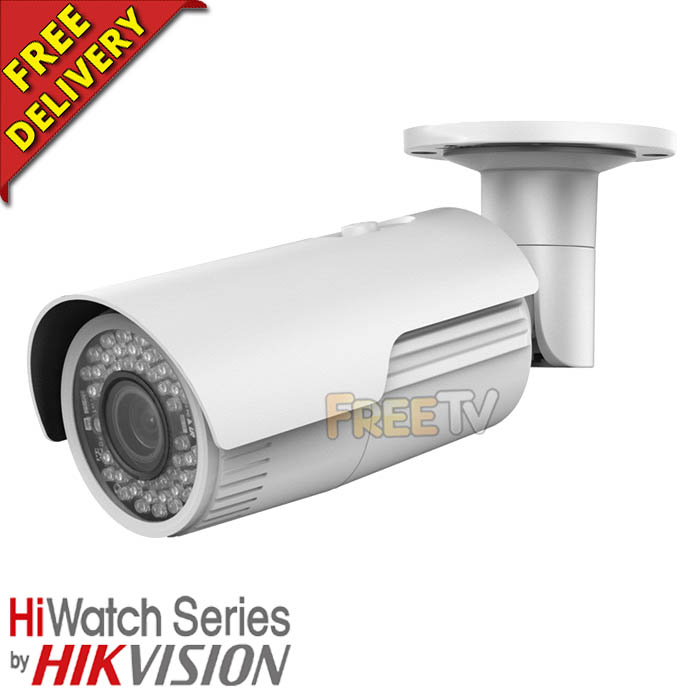

DESCRIPTION of IP Bullet Camera
- HiWatch™ Indoor / Outdoor IP Bullet Camera
- Resolution: 4 Megapixels
- Motorised: Yes
- Model: HiWatch IPC-B640-Z
- HiWatch by HikVision
- 1/3” Progressive Scan CMOS
- 2.8-12mm Motorized Varifocal Lens
- Field of View: 108° to 31°
- Min. Illumination
- Color: 0.01 Lux @ (F1.2, AGC ON)
- 0 Lux with IR
- Shutter time: 1/3s to 1/100, 000s
- Maximum Resolution: 2688 x 1520p
- Video Compression: H.264+/H.264/MJPEG
- Weatherproof: IP67 Rated
- True Day & Night
- Up to 30m IR Range
- Built-in Micro SD/SDHC/SDXC Card Slot (Max. 128GB)
- Dual Stream
- Digital WDR (Wide Dynamic Range)
- 3D DNR (Digital Noise Reduction)
- PoE (Power Over Ethernet)
- Power Consumption: 5.5W (11W With -Z)
- Power Supply: 12Vdc, PoE (802.3af)
- Remote Viewing Via HiK-Connect App
USES of IP Bullet Camera
- Use with a network video recorder
- Use with a hybrid DVR which has IP camera capabilities
ADVANTAGES of IP Bullet Camera
- Gives a fantastic 4 megapixel HD picture
- It is simple and easy to mount on wall or ceiling
- It is possible to power the IP Camera directly from a POE (Power over Ethernet) switch
- This can suit customers who are familiar with computer networks - allows easy access and deployment
- Can also set up to record to PC or NAS (Network Attached Storage) device
- Works with our HikVision Hybrid DVRs & HiWatch NVRs
- This model of IP camera has a motorised lens, so can be focused remotely
- Suitable for indoor or outdoor use
- This model has a card reader, so can be used for standalone recording
DISADVANTAGES of IP Bullet Camera
- IP cameras are a little more expensive than traditional analogue CCTV cameras
- Can't be added on to an existing DVR system that does not have IP camera compatibility (Needs an NVR or hybrid DVR system)
- This model does not have a card reader, so cannot be use for standalone recording
How to Change IP Address of Hikvision / HiWatch IP Cameras
How to Add IP Cameras to Your Non-PoE Hikvision / HiWatch NVR
No posts found



