


Cart is empty


Save 38%
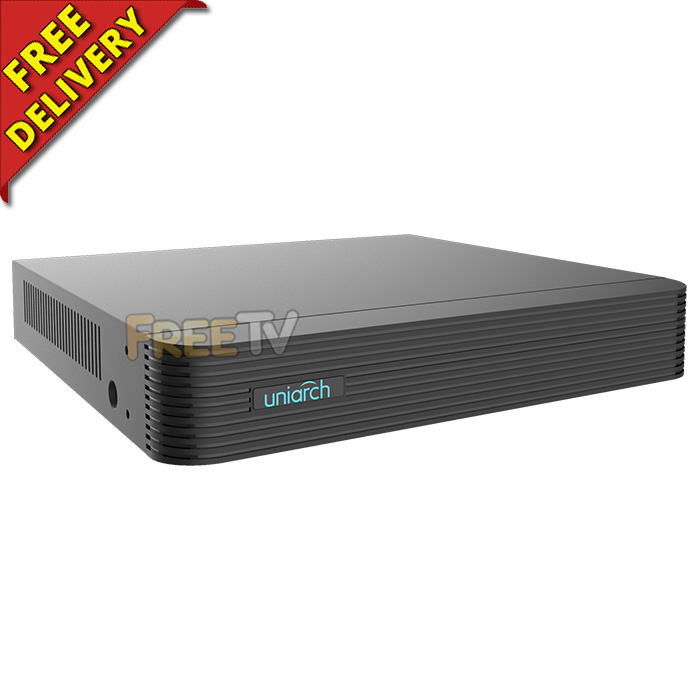

DESCRIPTION of 4 Channel NVR
- 4 Channel NVR
- NVR = Network Video Recorder
- AKA 4 Camera NVR, 4 Way NVR
- Manufacturer: UniArch
- Model: NVR-104E-P4
- Resolution: Up to 4K (Max. 3840 x 2160p @ 30fps) = 8 Megapixels
- 8MP / 5MP / 4MP / 3MP / 1080P (2MP) / 720P (1MP) / 960H
- Video Compression: Ultra 265 / H.265 / H.264
- HDMI & VGA Outputs
- Audio Output: 1-ch, 3.5mm
- Storage: 1x SATA Hard Drive (Up to 6TB)
- Integrated PoE: Yes
- 2x USB 2.0 Ports
- 4x RJ45 10/100Mbps Ethernet Ports
- Dimensions: 255 x 215 x 42mm
- PoE Standard: IEEE 802.3at, IEEE 802.3af
- CE Certified
- For Remote Viewing, Download Free App Called UniEase or EasyViewer Plus
How Much Can I Record
- Based on the following scenario
- 8TB Drive Installed
- Resolution: 3840 x 2160p (8 Megapixels)
- Number of IP CCTV Cameras: 4
- Recording Frame Rate: 30fps (Frames Per Second)
- Recording Mode: 24/7
- This will offer 20 days of stored recordings
- Notes on recording rates
- Selecting a lower resolution, reducing number of cameras or frame rate will greatly increase capacity
- NVR can support up to 1x 6TB hard drive
USES of 4 Channel NVR
- Suitable for both small to medium sized commercial & domestic applications
- Idea for situations where 4K quality playback is desired
ADVANTAGES of 4 Channel NVR
- This 4 channel network video recorder is compatible with the IP cameras we sell
- Known in the industry as an NVR
- It supports IP cameras up to 8 megapixels
- The picture quality is incredible, supporting up to 4K resolution
- UniArch is one of the market leaders for NVRs due to range, specification and price
- It comes with a P2P App - it is extremely easy to setup (No need to have a static IP or setup port forwarding)
- UniArch provide a range of NVRs (4, 8 & 16 channel), all of which use identical menus, setup & apps
- It supports networking, mobile phone & PC viewing
- Supports IP PTZ cameras
- It has a HDMI output as well as VGA
- Can utilise existing ethernet cables in your setup, no need to run additional RG59 cables
DISADVANTAGES of 4 Channel NVR
- NVRs are brilliant but come at a slightly (about 10-15%) higher price than single equivalent technology DVRs
- Although NVRs & IP cameras have massively improved their user-friendliness over the past few years and now they are relatively simple to set up, some networking knowledge may be required in the case of troubleshooting
Product Overview
How to Install HDD Into NVR or DVR
How to Setup Remote Viewing Using S/N Code
The S/N or QR code can be found in 2 locations
- The bottom of the DVR / NVR
- In the main menu -> configuration -> network -> platform access, then select enable
How to Add IP Cameras to Your Non-PoE Hikvision / HiWatch NVR
No posts found



