


Cart is empty


Save 26%
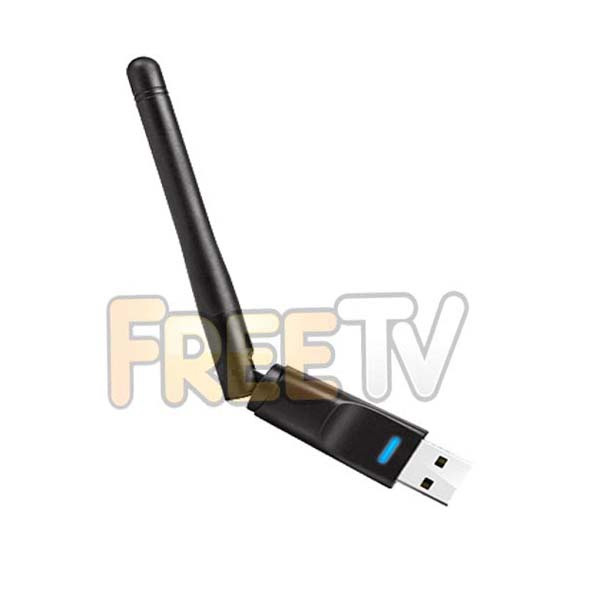

DESCRIPTION of Dahua WiFi Dongle
- WiFi Dongle For Certain Dahua DVRS, NVRs & XVRs
- Operates With Most Dahua Technology & EZ-IP XVRs / DVRs / NVRs
- Also Works With Dahua Technology OEMs Like X-Security, Qvis iApollo,, IC Realtime etc..
- Chipset: Ralink RT5370
- Connectivity: Wireless Internet (Connects to Home Router)
- Hinged Design With Antenna
- Colour: Black
- Range: 100m (Unobstructed)
- Supports 802.11b/g/n
- Max Transfer Rate: 150mbps
- Frequency: 2.4GHz
- Dimensions: 88x58x16mm
- Security: WEP, WPA, WPA2, TKIP, AES (64/128 Bit)
- USB 2.0
USES of Dahua WiFi Dongle
- Generic WiFi adapter for use with certain Dahua DVRS, NVRs & XVRs
ADVANTAGES of Dahua WiFi Dongle
- It has a hinged design with a raised antenna for better reception
- Gives better connectivity than mini WiFi dongles especially when at back of receiver
- It offers WiFi access to your Dahua DVR, NVR or XVR receiver where cabling does not exist or is difficult to run
DISADVANTAGES of Dahua WiFi Dongle
- While WiFi connectivity is very convenient, a wired connection will always offer a better solution
- This should only be used with a limited number of cameras due to wireless bandwidth limitations
- Be sure to keep the bit rate below what the USB WiFi adapter can handle
Note on Dahua WiFi Dongle
- As above, a wired connection is always better so perhaps consider homeplugs as an alternative solution
- If choosing to use the WiFi dongle, make sure that it has as clear as possible path to your router with as little physical obstacles in the way
Check Your Dahua DVR / NVR / XVR Compatibility
- Log in to main menu and got to "Network" (under settings or bottom row of icons)
- If there is a function "WIFI" in the link list on the left hand side your model is most likely compatible
POSSIBLE ISSUES
- The WiFi feature is not available in Dahua XVR S2-Series and NVR S2 Series.
- The following Dahua firmware versions have issues to identify USB Wi-Fi Adapters
- I and I2 series (model number ends with -I or -I2) may have issues to detect USB Wi-Fi Adapters
- Firmware versions V4.001.0000000.7.R.200509 (Built-Date: 20-05-09), V4.001.0000000.2.R.200529 (Built-Date: 20-05-29), V4.001.0000001.0 (Built-Date: 20-09-08), V4.001.0000001.2 Built-Date: 29-10-2020), V4.001.0000003.0 (Built-Date: 28-02-20) are not compatible with this USB Wi-Fi Adapter
INSTALLATION
- Connect the WiFi adapter to any free USB interface of your DVR / XVR / NVR
- Ideally use the one at the back of the recorder (directly soldered to the main board)
- It may take 1 to 2 minutes until the WiFi Adapter is recognised and all available SSIDs are visible in the recorder's interface
- If after two minutes if no SSIDs are listed, please hit the "refresh" button
- To connect to a secured WiFi network you need to make sure to put in the password correctly, otherwise the recorder may return an error message "connection failed"
- In that case, plug out the WiFi adapter repeat the setup
- In a worst case scenario, a factory default may be required
- This is not an issue with the WiFi adapter, but a firmware issue with the recorder
Coming soon...
No posts found



