


Cart is empty


Save 20%
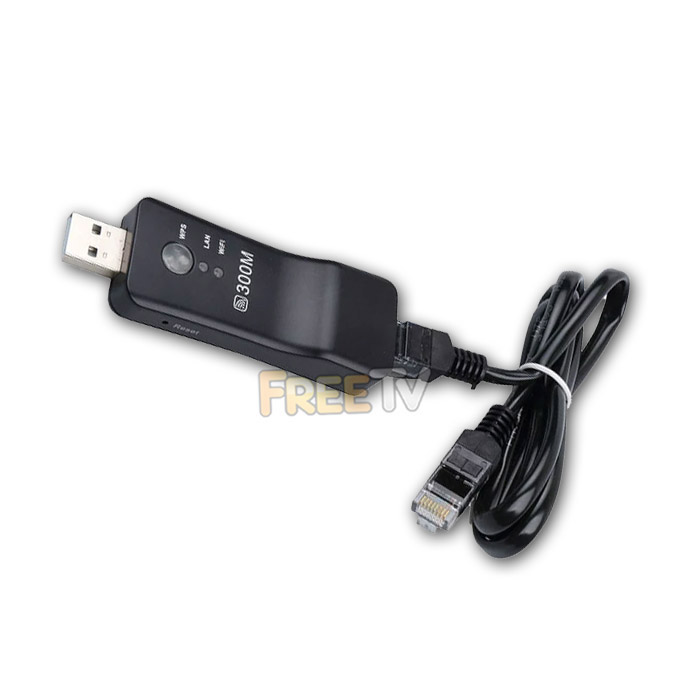

DESCRIPTION of BUSH Smart TV WiFi Dongle
- Compatible BUSH Smart TV WiFi Dongle
- TV WiFi Dongle For BUSH Smart TVs Without Integrated WiFi
- Note: You MUST Have Free USB & Ethernet (LAN) Port on Your BUSH Smart TV
- Supports WPS For Easy Installation
- Colour: Black
- Supports 802.11b/g/n
- Security: WEP, WPA, WPA2, TKIP, AES (64/128 Bit)
- USB 2.0
- Ethernet Cable Included (For Connecting Adapter to LAN Port on TV)
- Not an Original BUSH Smart TV WiFi Dongle
- Used to Replace Vezzy 200 or Vezzy 110 Smart TV WiFi Adapter (AKA Veezy 200 / Veezy 110)
- Some Compatible Models Include...
BUSH ELED22134FHDDVDCNTD
BUSH LED24265DVDCNTD
BUSH ELED50240FHDCNTD3D
BUSH LED24970DVDFHDCNTD
BUSH DLED321273DCNTD
BUSH ELED42240FHDCNTD3D
BUSH LED24127DVDCNTD
BUSH LED24265DVDCNTDW
BUSH LED32127HDCNTD
BUSH LED32134HDCNTD
BUSH LED40127FHDCNTD
USES of BUSH Smart TV WiFi Dongle
- If you have a BUSH smart TV that does not have integrated WiFi, then this product will add that functionality
ADVANTAGES of BUSH Smart TV WiFi Dongle
- Easy to set up with it's integrated WPS button
- Either plug the WiFi dongle directly into the TV's USB port or
- Plug dongle into the USB dock and connect the USB dock to your TV's USB port
- Connect the ethernet cable to the LAN ports on both the WiFi dongle & on your smart TV
- Once all set up, just press WPS button on router for 3-5 seconds, then press the WPS button for a few seconds on WiFi dongle within 1-2 mins
- Having a WiFi connection to your smart TV can be more desirable & easier than running ethernet cables
- This WiFi dongle with work with any smart TV that does not have integrated WiFi
DISADVANTAGES of BUSH Smart TV WiFi Dongle
- Using a wired connection will always allow greater connection stability and speeds
- IMPORTANT NOTE: Obviously this WiFi adapter does not turn non-smart TVs into smart TVs
Coming soon...



