


Cart is empty


Save 9%
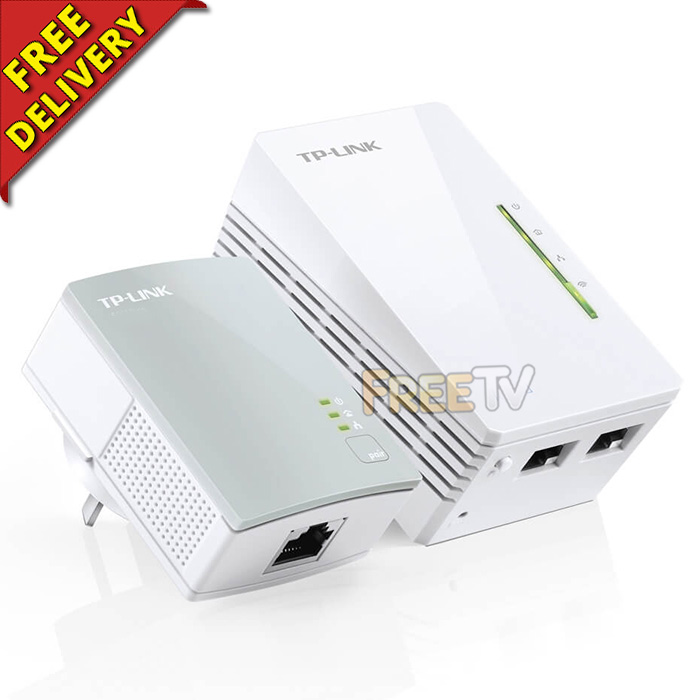

Description of Wireless Homeplugs
- Wireless Homeplug Ethernet Powerline Adapters Set
- Includes 1x WiFI Powerline Extender
- AKA Wireless Homeplugs
- Manufacturer: Brand May Vary Depending on Supplier Availability
- Brands Usually Include TP-Link, Tenda, Aztech, Edimax, MercuSys etc..
- AV600 Powerline Adapter With 300Mbps WiFi Range Extender
- Backwards Compatible With AV500 & AV200 Powerline Adapters
- Range: Max. 300m (Very Much Depends on Local Physical Conditions)
- Pack contains
- 1x Standard Homeplug Unit
- 1x WiFi Powerline Homeplug Extender Unit
- Ethernet Cable
- User Manual & CD
- Homeplugs Come With 3 Pin UK/Ireland Plugs
- Note: Homeplugs Works in Pairs - You Need at Least 2 Units
How Ethernet Over Power Line Homeplugs Work
- Homeplugs provide a no new wires communications to any room, over the electricity cables, at the speed of up to 1Gbps
- A minimum of 2 homeplug adapters are needed
- One homeplug unit connects into the router via an ethernet cable and is plugged into an electric socket
- The broadband signal travels through the electrical cabling in the wall
- The second homeplug unit is plugged into an electric socket where the broadband connection is needed and an ethernet cable is run to the PC, printer etc.. which you wish to network
- Note: Either homeplug can be used as either a base or a receiver, they are completely interchangeable
- However, you will most likely want to use the WiFi power line extender in your remote location as a wireless hotspot
Uses of Wireless Homeplugs
- The main uses of these homeplugs are where you would like to have an extra wired connection in another room of your home or office
- To extend the range of your wireless system e.g. say you were in a big building, a building with very thick walls (older houses especially) or a house with foil back insulation then you may not be able to get the wireless signal in some areas.
- Possible applications include;
- Multimedia payloads
- TV over IP
- Higher data rate broadband sharing
- Online gaming
- VOIP calls
- Extending wireless LAN coverage
- Audio / Video transmission over a network
- Network camera connectivity
Advantages of Wireless Homeplugs
- Built in Quality of Service (QOS) features
- No need to run extra wires around your home or office
- Just plugs into any standard electrical wall socket
- Can extend the range of your wireless network
- Low cost compared to getting contractor in to run extra cables
- No drilling of walls or need to run ethernet cables throughout your home or office
- Very reliable homeplug units from a leading manufacturer
- Easy to add on addition units
- Compatible with other manufacturers that meet the official homeplug standards
Disadvantages of Wireless Homeplugs
- You need two units to create a minimum network
- If you are capable of running ethernet cabling yourself, these can be more expensive
- Note: Plug directly into wall socket, they do not like being plugged into multi-sockets
Coming soon...



