


Cart is empty


Save 24%
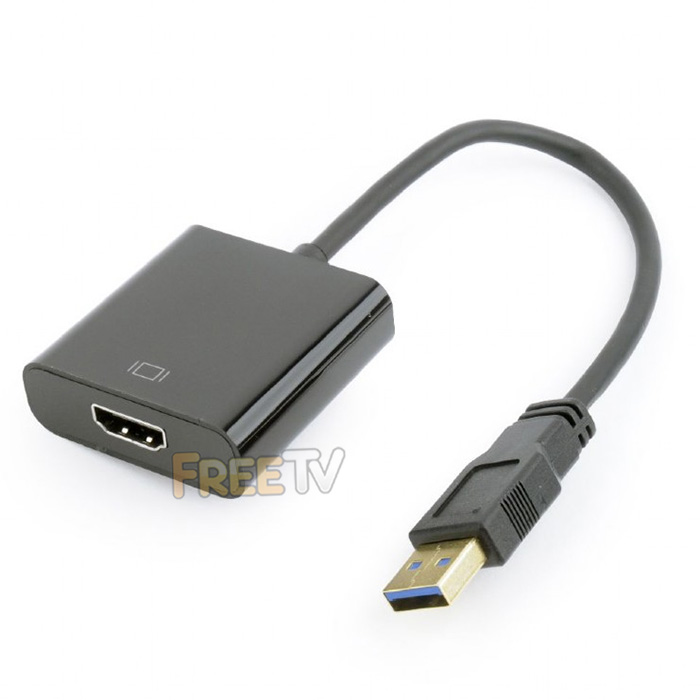

DESCRIPTION of USB to HDMI Adapter
- USB to HDMI Adapter
- AKA External Video Adapter, External USB Display Adapter, External Graphics Card
- What's Included
- 1x USB 3.0 to HDMI Display Adapter
- Mini CD With Drivers & User Manual
- Resolution Capability
- UXGA: 1600x1200p
- WSXGA+: 1680x1050p
- Full HD: 1920x1080p
- Minimum System Requirements
- Free USB 3.0 Port
- Microsoft Windows XP / Vista / 7 / 8 / 10 / 11 & MAC OS X (10.4 Upwards)
- CPU: Intel / AMD Single Core 1.5GHz Processor
- RAM: 512MB
- Display Functions: Primary, Extended, Mirror, Display Rotation, Identify Monitor, Multi-Display
- If Your Laptop / PC Does Not Have a DVD / CD Drive, Please See Downloads Tabs For Drivers
- **Please Note: On Some MAC OS Versions, Only Display Mirroring is Available
INSTALLATION of USB to HDMI Adapter
- Generally USB Ports on Rear of PCs Function Best
- On PC / Laptop / MAC, Try Different USB Ports Until Adapter is Detected
- This is Because Not All USB Ports Are Created Equal
- Some USB Ports Will Not Have Enough Power to Initiate Your USB to HDMI Adapter
- You Can Check Detection in Your Operating System's Device Manager
- Once Detected, Install Drivers Direct From Mini CD or Download From Downloads Tab, UnZip & Run
USES of USB to HDMI Adapter
- Use to clone or extend your primary desktop screen on Windows or **MAC OS X machines
ADVANTAGES of USB to HDMI Adapter
- The USB to HDMI adapter allows greater visibility of apps & programs at the same time
- This increases your productivity by speeding up tasks
- The adapter is not a resource hogger, it uses relatively little computer resources
- There is little or no difference between the extended screen and directly connected screen under normal conditions
- Cheaper than buying a dedicated multi output graphics card
DISADVANTAGES of USB to HDMI Adapter
- You will need a free USB port to take full advantage of it's capabilities
- If using USB to HDMI adapter as a permanent fixture, then it means you have one less USB port
- You will also need a monitor or TV with a HDMI port for cloning & extending computer display
- You will need a HDMI cable if you don't already have one
- It is only suitable for normal office type functions and is not suitable for CAD, gaming or other graphic intensive tasks
Note: Now comes in black. Current model does not support Chromebooks



