


Cart is empty


Save 25%
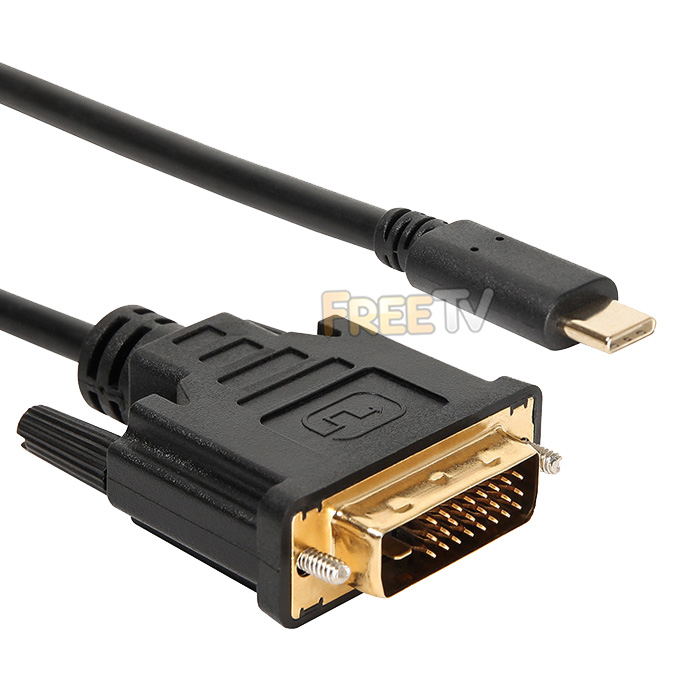

DESCRIPTION of USB Type-C to DVI Cable
- USB Type-C to DVI Cable
- AKA USB to DVI Converter
- Connections
- Male USB 3.1 Type C Plug
- Female DVI-D (24+1) Socket
- Length: 1.8m (Approx. 6ft)
- Resolution Capability: Max. 1080p Full HD
- Compatibility: Windows 10 / 8 / 8.1 / 7 / Vista / XP, Mac OS X, Linux & Chrome OS
- Display Functions: Primary, Extended, Mirror
- Plug & Play
USES of USB Type-C to DVI Cable
- Use to clone or extend your primary desktop screen
- Works with USB-C port computers with Mini DP / Thunderbolt 3.0 Alt mode such as 2017 MacBook Pro, 2017 iMac, 2016 MacBook Pro, 2015 MacBook, ChromeBook Pixel, Dell XPS 15, XPS 13-9350-R1609 13.3",Lenovo Yoga 900(Yoga 4 Pro)
ADVANTAGES of USB Type-C to DVI Cable
- The USB to DVI cable allows greater visibility of apps & programs at the same time
- This increases your productivity by speeding up tasks
- The cable is not a resource hogger, it uses relatively little computer resources
- There is little or no difference between the extended screen and directly connected screen under normal conditions
- Cheaper than buying a dedicated multi output graphics card
DISADVANTAGES of USB Type-C to DVI Cable
- You will need a free USB Type-C port to take full advantage of it's capabilities
- If using your USB to DVI cable as a permanent fixture, then it means you have one less USB C port
- You will also need a monitor or TV with a DVI port for cloning & extending computer display
- You will need a DVI cable if you don't already have one
- It is only suitable for normal office type functions and is not suitable for CAD, gaming or other graphic intensive tasks
- It is not designed for smartphones and tablets with the exception of Lumia 950 / 950XL, Samsung Galaxy S8 / S8 Plus / Note 8 and Huawei Mate 10
No posts found



