


Cart is empty


Save 24%
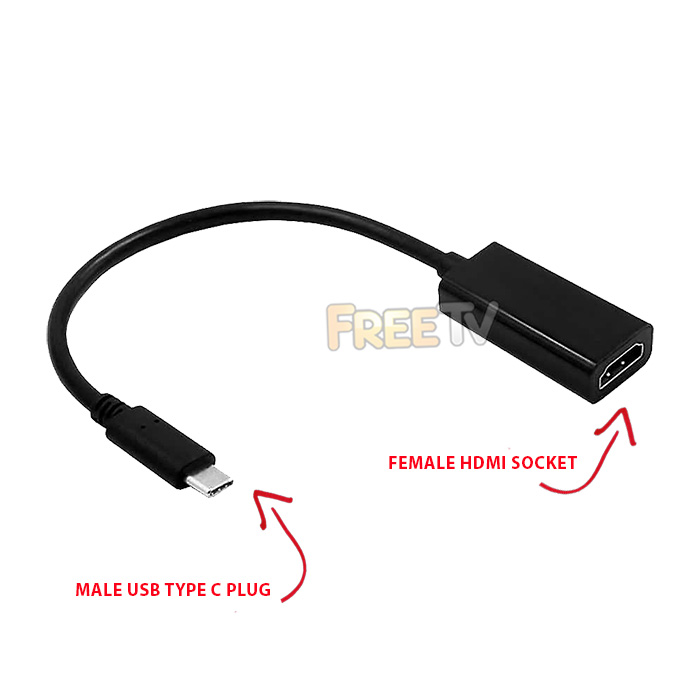

DESCRIPTION of USB C to HDMI Adapter
- USB C to HDMI Adapter
- AKA External Video Adapter, External USB Display Adapter, External Graphics Card
- Connections
- Male USB 3.1 Type-C Plug
- Female HDMI 2.0 Socket
- Pigtail Design
- Maximum Resolution: Up to 4K @ 60Hz
- OS Compatibility: Mac OS X, Chrome OS, Windows
- Will Work With Some Android Phones & Tablets
- We Have Tested on Several Android Phones With USB-C & All Worked For Us
- Note: Please Connect Adapter to Your Device First Without a HDMI Cable Attached
- Once Device Initiated, Only Then Connect Your HDMI Cable to Your USB C to HDMI Converter
USES of USB C to HDMI Adapter
- Use to clone or extend your primary desktop screen on machines with USB 3.1 Type-C ports
ADVANTAGES of USB C to HDMI Adapter
- The USB C to HDMI adapter allows greater visibility of apps & programs at the same time
- This increases your productivity by speeding up tasks
- The adapter is not a resource hogger, it uses relatively little computer resources
- There is little or no difference between the extended screen and directly connected screen under normal conditions
DISADVANTAGES of USB C to HDMI Adapter
- You will need a free USB 3.1 Type C port to take full advantage of it's capabilities
- It only works with USB 3.1 Type C ports
- If using the USB 3.1 Type-C to HDMI adapter as a permanent fixture, then it means you have one less USB port
- You will also need a monitor or TV with a HDMI port for cloning & extending computer display
- You'll need a standard HDMI cable if you don't have one & possibly a 4K HDMI cable if that's the resolution you're working off
Note: Despite what we say in the video, we have tested the adapter with some Android phones and it does output the content to a TV on the phones we tested. Also note, now comes in black



