


Cart is empty


Save 29%
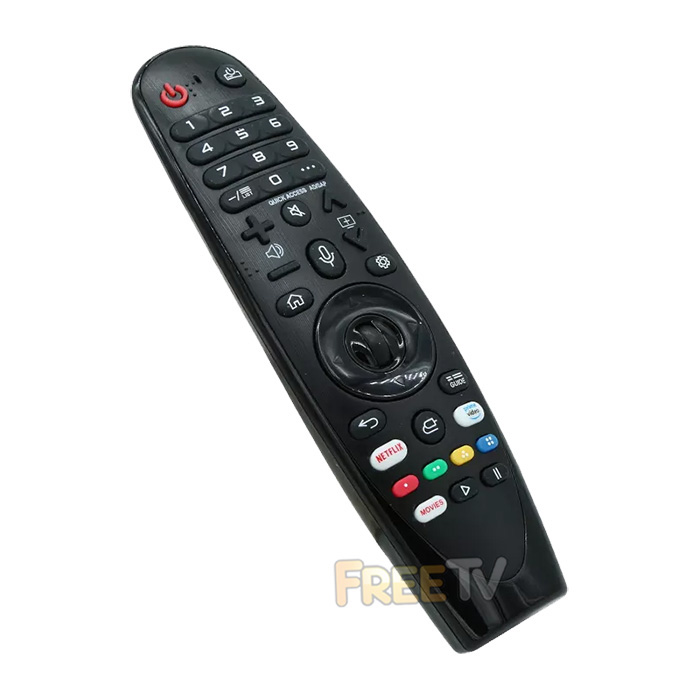

DESCRIPTION of T4TEC TV Remote Control
- Replacement Magic Remote Control For T4TEC TVs
- Just Add Batteries & Pair With Your TV (Instructions Below)
- Note: Compatible TV Remote Control
- Not an Original T4TEC TV Remote Control
- Note: Batteries Not Included (Requires 2x AAA Batteries)
- Colour: Black
- T4TEC TVs Compatible With Our Remote Control Include...
T4TEC TT43UHD21K Remote Control
T4TEC TT32WEB21K Remote Control
Other Compatibility May Include..
TELEFUNKEN N19G-TF-TS5010 Remote Control
TELEFUNKEN N19G-TF-TS5510 Remote Control
TELEFUNKEN N19G-TF-TS6510 Remote Control
LINSAR LS70UHDNF Remote Control
DGTEC DG65UHDOS Remote Control
DGTEC DG5521WOS Remote Control
POLAROID PL55UHDOS Remote Control
POLAROID PL65UHDOS Remote Control
SENCOR SLE65US800TCSB Remote Control
SENCOR SLE55US800TCSB Remote Control
SENCOR SLE50US800TCSB Remote Control
SENCOR SLE43US800TCSB Remote Control
SENCOR SLE43FS800TCSB Remote Control
SENCOR SLE32S800TCSB Remote Control
SENCOR SLE55US800TCSB Remote Control
SENCOR SLE50US800TCSB Remote Control
SENCOR SLE43US800TCSB Remote Control
BAUHN ATV82UHDW Remote Control
BAUHN ATV58UHDW Remote Control
BAUHN ATV65UHDW Remote Control
BAUHN ATV70UHDW Remote Control
BAUHN ATV75UHDW Remote Control
AKAI AK7021S6WOS Remote Control
AKAI AK7521S6WOS Remote Control
AKAI AL32S-FX1WS Remote Control
AKAI AL43S-FX1WS Remote Control
AKAI AL50U-FX1WS Remote Control
AKAI AL55U-FX1WS Remote Control
AKAI AL43U-FX1WS Remote Control
HOW TO PAIR YOUR REMOTE CONTROL
- Make sure the remote is cleared
- Press and hold the HOME and BACK button together for 5 seconds
- Manually turn on the TV
- Stand close to your television
- Press and hold the scroll wheel down for 10-20 seconds
Coming soon...
No posts found



