


Cart is empty


Save 23%
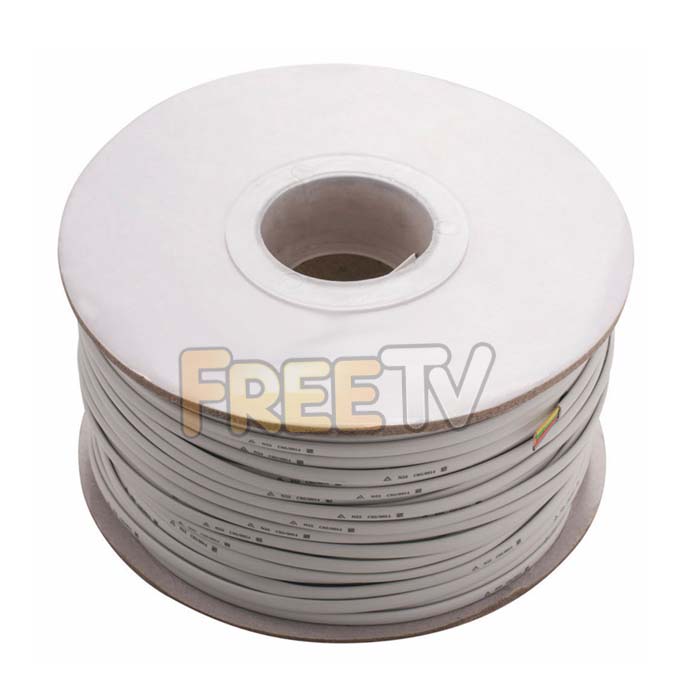

DESCRIPTION of Phone Cable
- Roll of Phone Cable
- 2 Pair
- Colour: White
- High Quality Telephone Cable
- Length: 100m
- Outer Diameter: 4mm
- Note: Need an RJ11 Crimping Tool to Crimp Connectors
- Copper Clad Steel Conductor
- Works With RJ11, RJ12, RJ45 Connectors
- CC 8518210000 1.8kg N
USES of Phone Cable
- General use telephone cable for indoor use
- Connect Sky boxes to the phone line
- Run cable to put in extra phone line or fax machine point
- Note: Not suitable for broadband - need to use CAT5 Cable
Notes on Phone Cable & Connectors
- The RJ stands for 'Registered Jack'
- The RJ11 comes with 4 pin slots
- Only the 2 middle pins are needed
- It is used for dial up internet or voice but not broadband
- it is used with telephone cable
- If the RJ connector has copper pins in all 4 slots
- it is actually an RJ14 but can be used as if it was an RJ11
- The other commonly used RJ plug is the RJ45
- it is used with LAN networks, Satellite Receivers, Gaming Consoles, Broadband etc
- it has 8 pins
- It is used with CAT5 Cable
Below is documented the procedure for wiring for making a telephone lead to connect a telephone to an RJ11 phone outlet plate.
How To Make a Telephone Cable
Equipment needed
- Roll of Telephone cable Cable (single or twin pair)
- RJ11 CRIMPING Tool
- RJ11 Connectors * 2
Steps
- Using an RJ11 crimping tool remove the outer protective sleeve leaving around 25mm of cable exposed
- Fold over or cut off the extra e.g. the white/orange & white/blue cables
- Straight out cables into the required order - the convention is to use the 2 Blue/Orange wires for pin 2 & 3
- Again use the crimping tool to cut off the down the core wires to leave about 12mm exposed
- Push the cables into the 2 central RJ11 slots (will have copper pins)
- Use the crimping tool to crimp the connector onto the cable
- Repeat the same process for the other end of the cable.
NOTES ON Telephone cable & Connectros
- The RJ stands for "Registered Jack"
- The RJ11 comes with 4 pin slots
- Only the 2 middle pins are needed
- It is used for dial up internet or voice but not broadband.
- it is used with telephone cables
- If the RJ connector has copper pins in all 4 slots
- it is actually an RJ14 but can be used as if it was an RJ11
- The other commonly used RJ plug is the RJ45
- it is used with LAN networks, Satellite receiver IP ports etc
- it has 8 pins
- it is used with CAT5 cable



