


Cart is empty


Save 25%
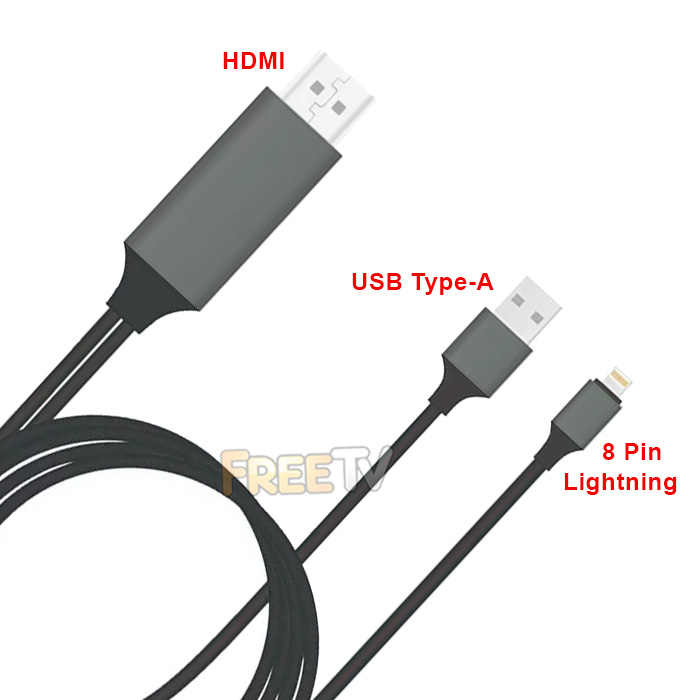



Description of Lightning to HDMI Cable
- Lightning to HDMI Cable
- Adapter For iPhones, iPads & iPods
- Compatible iPhone Models
- iPhone 8
- iPhone 8 Plus
- iPhone 7
- iPhone 7 Plus
- iPhone 6s
- iPhone 6s Plus
- iPhone 6
- iPhone 6 Plus
- iPhone SE
- iPhone 5s
- Compatible iPad Models
- 12.9-inch iPad Pro (2nd generation)
- 12.9-inch iPad Pro (1st generation)
- iPad Pro (10.5-inch)
- iPad Pro (9.7-inch)
- iPad Air 2
- iPad Air
- iPad (6th generation)
- iPad (5th generation)
- iPad Mini 4
- iPad Mini 3
- iPad Mini 2
- Cable Length: 2m
- Colour: Black
- Note: Lightning to HDMI Cable Must be Powered
- Possible to Use your Existing Phone Charger
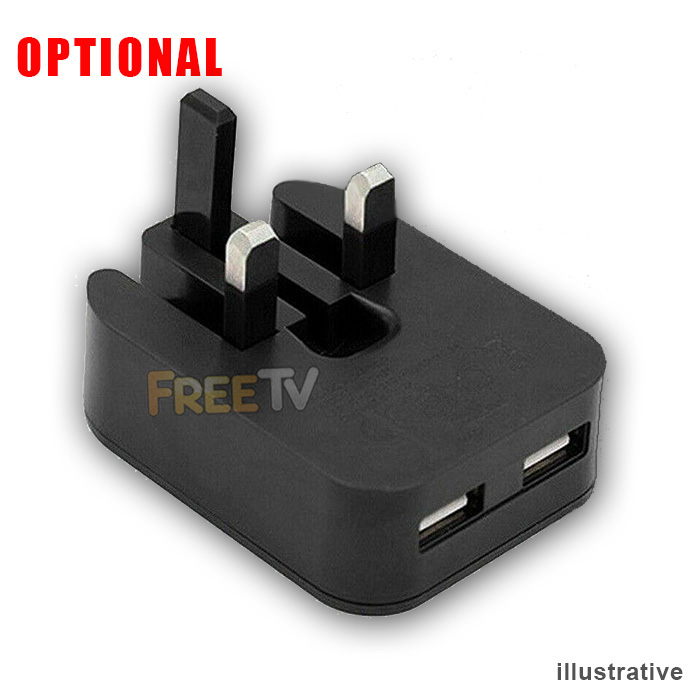
- Option to Purchase 5 Volt Wall Charger
USES of Lightning to HDMI Cable
- Use to view phone or tablet content on a TV or monitor with a HDMI connection
Notes on Lightning to HDMI Cable
- Some copyrighted content may not be viewable on the larger screen
Operating Instructions
- Insert the HDMI connector into the HDMI port on your TV or monitor
- Make sure the correct AV source is selected on the TV or monitor
- Connect the lightning to HDMI's USB port to an external 5 volt power supply
- You can use your own phone charger or buy a spare on from us
- It's best not to power this device from the TV's own USB port
- The TV screen should display a QR code at this stage
- Connect the lightning connector to your iPhone or iPad
- The battery charging logo should display
- Enter the password of the phone or tablet
- It should now offer an option to select Trust / Distrust
- Click Trust
- Enter your phone or tablet's password again
- Wait around 10 seconds & the phone / tablet screen content should display on your TV or monitor
Coming soon...
No posts found



