


Cart is empty


Save 50%
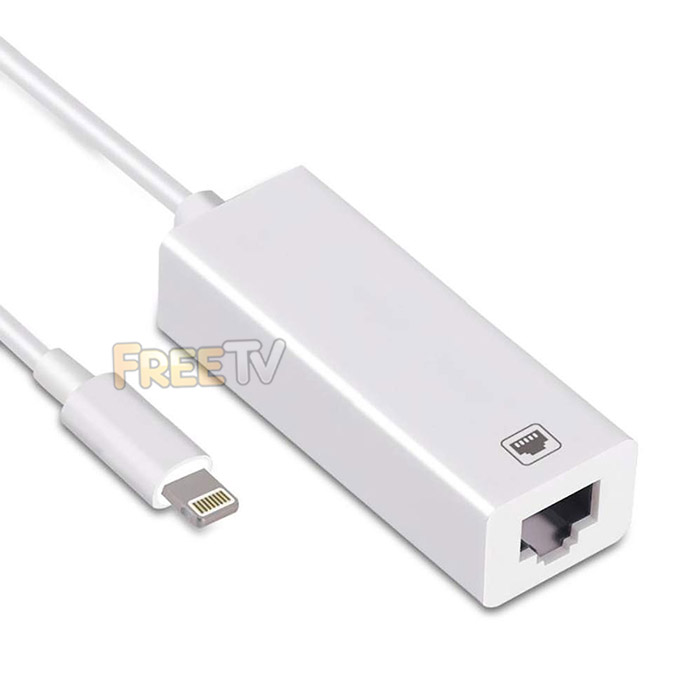

Description of Lightning to Ethernet Adapter
- Handy Lightning to Ethernet Adapter
- AKA Apple Lightning Connector to RJ45 Adapter
- Colour: White
- Compatibility
- iPad Pro, iPad Air 2, iPad Air, iPad, iPad Mini 4, iPad Mini 3, iPad Mini 2 etc..
- Various iPods
- iPhone 11 / X / XR / XS / XS Max
- iPhone 8 / iPhone 8 Plus
- iPhone 7 / iPhone 7 Plus
- iPhone 6s / 6 Plus / 6
- iPhone 5SE / 5S / 5
- Operating System: iOS 10.x Upwards
- Plug & Play
- Speed: Max. 100Mbps
USES of Lightning to Ethernet Adapter
- Adapts an 8 pin lightning connector into an ethernet connection
- Allows the use of a normal wire broadband connection with your Apple device
- Ideal where WiFi or 4G is not available like when traveling for example
HOW TO USE Lightning to Ethernet Adapter
- Turn off WiFi on your iPad or iPhone etc..
- Insert your router-connected ethernet cable into the ethernet port of the adapter
- Connect the lightning connector end into your iPad or iPhone etc..
- Go to 'Settings' in your iPad or iPhone and the ethernet settings will show up on your display
- Click "Ethernet" to obtain an IP address
- Open Safari and check if the connection is working
Coming soon...



