


Cart is empty


Save 25%
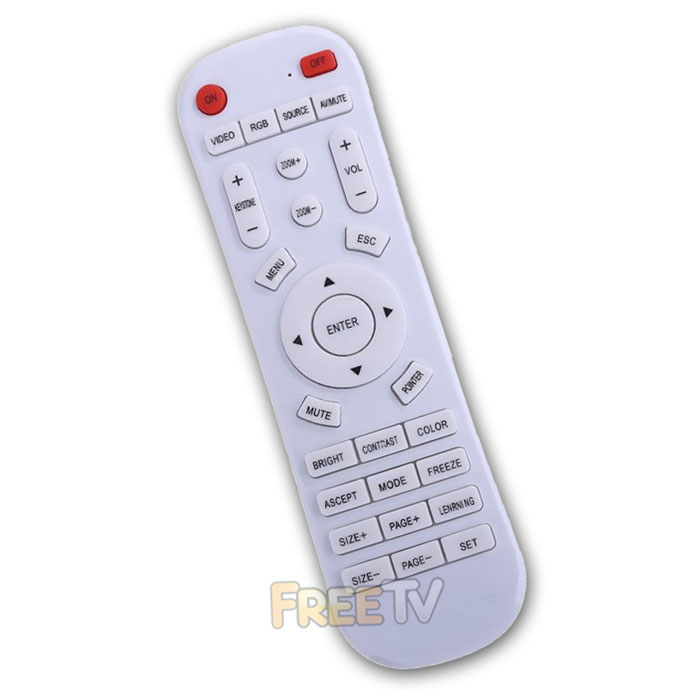

DESCRIPTION of HP Projector Remote Control
- HP Projector Remote Control
- Programmable Universal HP Projector Remote Control
- 2 Button Quick Setup (Press SET Button + Desired Brand)
- See Instructions Below & Under Downloads Tab For Alternative Brand Codes
- Compatible Remote Control
- Compatibility: Full / Partial
- All Main Functions Guaranteed to Work at a Minimum
- Colour: White
- Batteries Not Included (Requires 2x AAA Batteries)
How to Program Remote
Step 1: Put remote in programming mode
- Press “SET” and “MUTE” together
- When the remote flashes 3 times, release the buttons
- It is now in programming mode
Step 2: Programme remote for your projector
- Look on list (rear of remote) for your brand
- For HP press “SET” & “COLOR”
- Again light will flash
Step 3: Test has it worked
- Press the ‘MENU’ button on the remote control
- Working -> If the menu comes up, your remote has been set up successfully
- Not working -> If menu does not come up, repeat step 2 and 3 for other options (if any) on the list for your brand
Compatibility of HP Projector Remote Control
Some HP projectors that this remote should work with include...
HP BP5000 Projector Remote Control
HP CC200 Projector Remote Control
HP MP2000 Projector Remote Control
HP MP2000 Pro Projector Remote Control
HP MP250 Projector Remote Control
HP MP250 Pro Projector Remote Control
Coming soon...
No posts found



