


Cart is empty


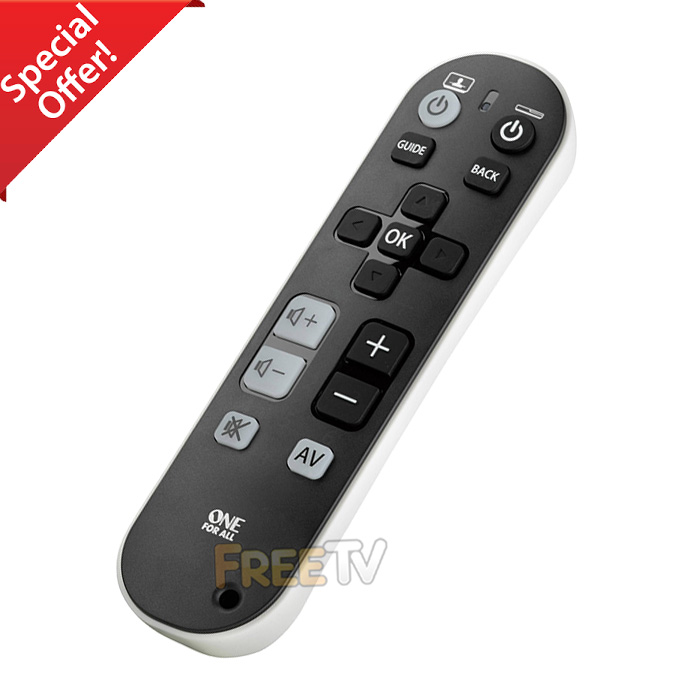

DESCRIPTION of Big Button Remote Control
- Big Button Remote Control For Elderly
- AKA Senior TV Remote Control
- Condition
- Out of Packaging & Possible Cosmetic Imperfections
- Full 12 Month Warranty
- Model One For All TV Zapper (URC6810)
- Can Program From Code List (See Downloads Tab & Product Videos)
- Important Notes About Learning Feature
- You MUST Have Original Working Remote
- The Big Button Remote Control is Also a Learning Remote
- It Must Learn From Original Remote
- Universal Remote Specifically For Old People & Partially Sighted
- Large Power, Channel Up/Down, Volume Up/Down Keys etc..
- Colour: Black
- Batteries (2x AAA): Not Included
- Brand Compatibility
- Samsung, Philips, Sony, LG, Panasonic, Toshiba, Sharp, Hisense, Telefunken, Thomson, Grunding
- Digihome, Walker, Finlux, Luxor, Nordmende, iDeal, Alba, Technika, Tevion, AKAI, Akura, Beko
- Blaupunkt, Bush, Ferguson, JVC, Medion, Sanyo, Techwood, Sky, Celcus, Hitachi & Many More
- Basically Works With Any Remote That Can Transmit an IR Signal to Learn From
USES of Big Button Remote Control
- The large buttons & reduced functionality on our big button remote control are ideal for...
- The elderly & senior citizens
- Those who are partially sighted
- Young children
- Those with manual dexterity issues
- Suitable for anyone who just wants a simple & easy to use remote control with large buttons
ADVANTAGES of Big Button Remote Control
- Once you teach the big button remote control, it completely simplifies your remote control experience
- The larger buttons are easier to read
- It only takes a few minutes to teach and the process is very simple
- You only have to teach our remote what you want to use (POWER ON/OFF, CH +/- & VOL +/- for example)
- You can also program it by codes (Available under downloads tab)
- The remote retains it's memory while changing batteries
- This is an ideal remote control for seniors
DISADVANTAGES of Big Button Remote Control
- While our big button remote control is ideal for TVs, it can work with pretty much any AV equipment
- If using with other AV equipment, you should note that obviously there will be no play, fast forward, rewind functions etc..
- It can take more than one attempt to learn a button's functionality
- This will be most likely to do with the distance and angle you are holding the two remotes apart
- From our own in-house testing, once you find the optimal angle and distance, it will only take a couple of minutes to fully program up the remote
- You can of course use the code list to program it automatically to make it easier



