


Cart is empty


Save 22%
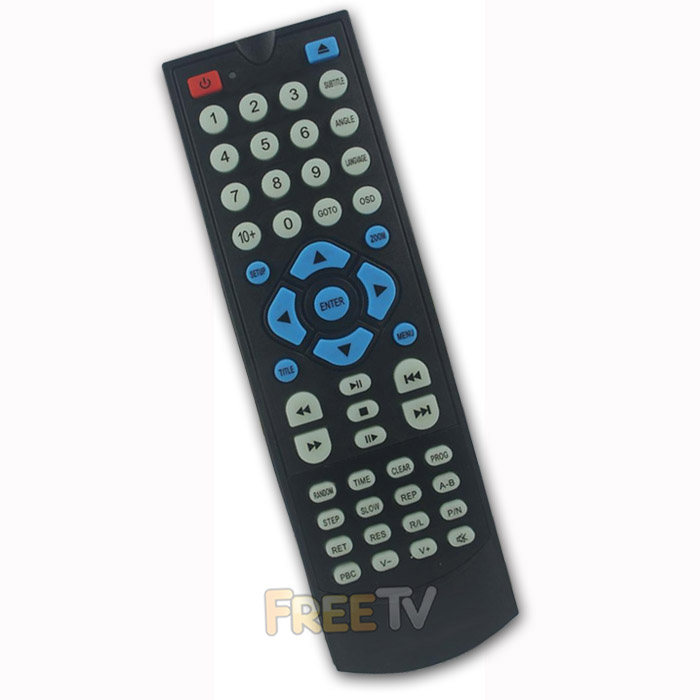

DESCRIPTION of AKAI DVD Remote Control
- Replacement AKAI DVD Player Remote Control
- Compatible Remote Control
- Works With Over 95% of AKAI DVD Players
- Works All Main Functions of Your DVD Player
- Not an Original AKAI DVD Player Remote
- Colour: Black
- Batteries Not Included (Takes 2x AAA Batteries)
Setup AKAI DVD Remote With Brand Codes
- Turn on the DVD player you would like to control
- Press and hold the POWER & EJECT buttons until the LED light stays on
- Enter the 3 digit code for your brand
- AKAI Codes = 035, 274
- If code is accepted, then LED will turn off
- Try one at a time. After entering the code, try to operate your DVD player
- If it works, then you are finished. If it doesn't work, repeat steps 2-6 until you find the code that works your model
Setup AKAI DVD Player Remote With Brand Autosearch
Alternatively, you can can do an autosearch of your brand
- Turn on the DVD player you wish to pair with the new DVD remote
- Simply, press and hold the related brand button on the remote control (AKAI = 5)
- Hold it for a few seconds, the LED will turn off (Don't release the button)
- Keep holding the related brand button and the LED will start flashing again after another few seconds
- This is the remote going through it's code bank for that brand
- When the DVD player turns off, immediately release the related brand button
- Turn on the DVD player again and try the remote to see if it works
- If it works, you're finished setting it up
- If not, try using the brand codes method above
No posts found



